
TOTPRadius VPN Portal - Client Authentication flow
No special VPN client installation is required for VPN Portal-based authentication to function, although we have released a special VPN helper app to simplify the user experience and make the process as fast as possible; one click will be enough to establish a VPN link. The VPN Portal will support systems relying on standard VPN protocols (LT2TP and L2TP/IPSec), such as Meraki Client VPN and Fortinet VPN solutions.The data flow diagram below illustrate the principle of the VPN Portal
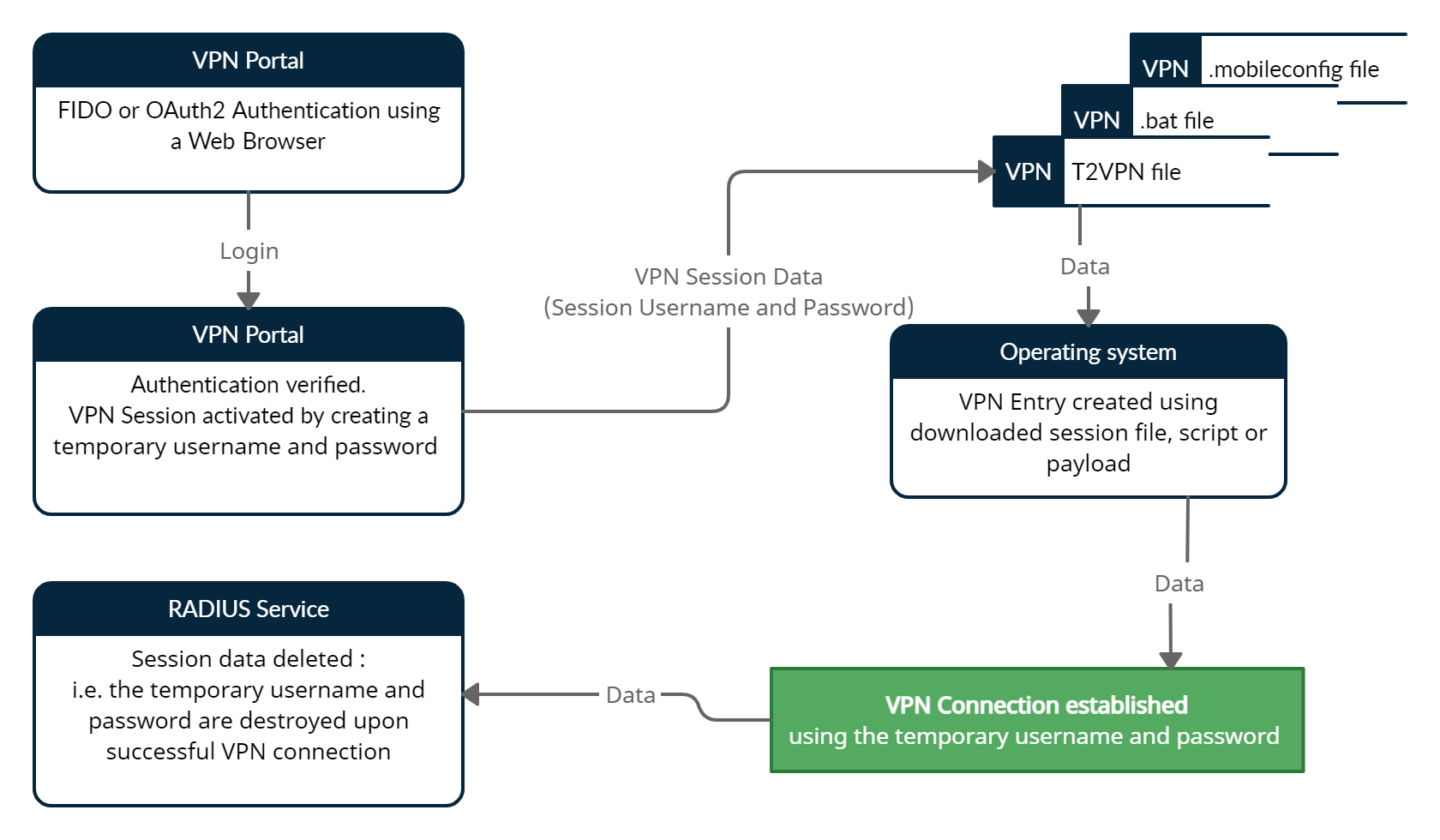
User logs in to a web interface where several files are generated. The user chooses to download a file named username.t2vpn and double-clicks on it (in some browsers it is possible to configure to "always open the file of this type" - this will save an extra click). If installed, our VPN Helper app (T2VPN) launches, parses the t2vpn file, extracts the VPN info (host, connection type, username and password) and initiates VPN connection. Once the connection is successful, the t2vpn file is removed for security purposes. Here is how the process looks like under Windows 10:
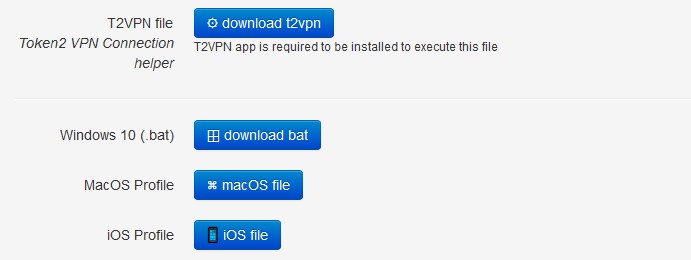
Using T2VPN app is optional, there are possibilities to use a batch file for Windows, or .mobileconfig files for iOS and MacOS machines - however executing these options require additional user actions.
About
Installation and configuration
- Installation and initial configuration
- Network configuration
- Migrating from older versions
- LDAP Configuration
- Azure AD Configuration
- Self-service enrollment portal
- Web and LDAPS Certificates
- Syslog configuration
- Single-factor authentication exceptions
- Slave appliance mode
- Dynamic RADIUS Attributes
Integration guides
Blog
14-07-2026
token2-fido-bridge: NFC and smartcard FIDO2 devices on Linux
 Linux does not allow using non-USB transport for FIDO2 natively. We're happy to announce token2-fido-bridge, a small open-source tool that finally lets browsers on Linux use FIDO2 credentials stored on NFC and contact smartcards for WebAuthn.
28-06-2026
Libre Key Companion: manufacturer-agnostic security key manager for Android and iOS
 We're happy to announce Libre Key Companion, a new open-source companion application for Android and iOS that lets you manage hardware security keys and smart cards from any manufacturer.
17-06-2026
An open-source, cross-platform way to manage your Token2 keys: Companion App - Rust edition
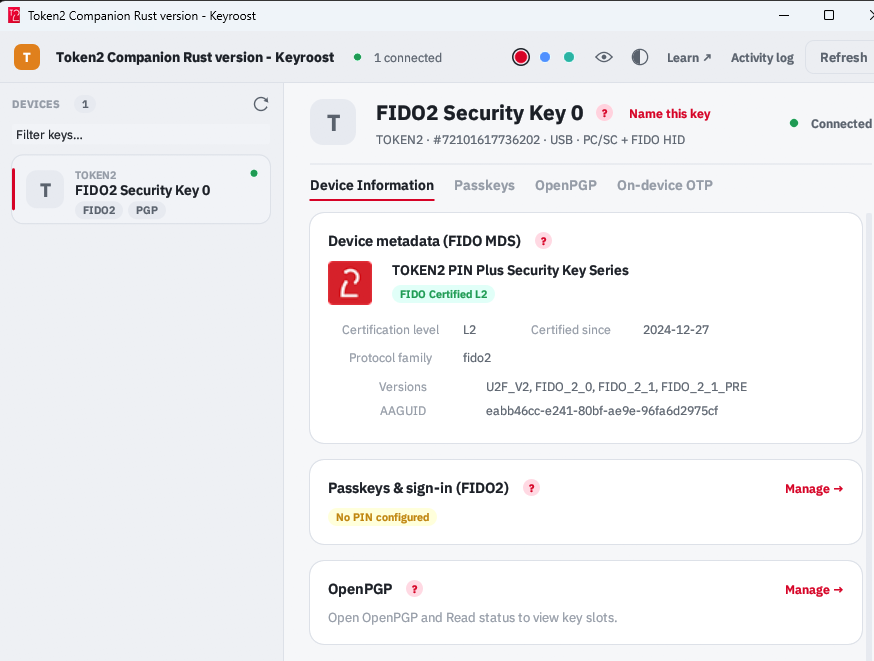 Token2 Companion - Rust edition - an open-source, cross-platform desktop tool for managing Token2 keys, and keys from other vendors too. It runs on Windows, macOS, and Linux, and the whole thing is open source: you can read it, audit it, build it, and extend it.